
Easy Uninstaller App Uninstall
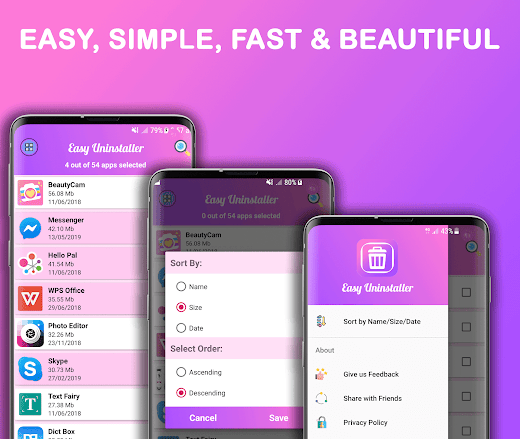
It is fast, simple & easy to use, you can select multiple apps that you want to uninstall at once, and click the uninstall button, you will have a permission for deleting or uninstalling apps which you have selected.Support apps search & sortIt also supports app search & sort.
Type keyword in the search bar on the top to search the apps from the list that you want to uninstall, delete or remove.
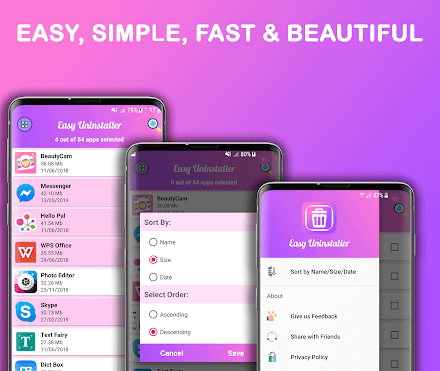
if you want to sort the list, just click on the menu, which is on the Top left and select "Sort by Name/Size/Date" and you will see a new Dialog where you will have option to sort the list by Name, Size and date in Ascending and Descending order.
It will help you to find the desired apps which you want to uninstall from your phone.Check which apps are larger by sizeIf you want to see which apps are larger by size, just sort the list by size in descending order.
it will make you easily decide which apps need to delete to free some space or memory in phone.Check which apps are not used anymoreIf you want to see which apps are very older in phone and you are not using them, just sort the list by date in ascending order and you will have apps on the top which you have installed on first time in your phone and needs to be removed.It can not uninstall built-in appsEasy Uninstaller App Uninstall Pro cannot remove pre-loaded or pre-installed apps in the system because it is limited by the system mechanism in android phones and required root access.
About Easy Uninstaller App Uninstall
- Package name (App ID)
- com.appsvalley.uninstall.easyuninstaller.pro
- Available on
- Google Play
- Price
- Free
- Developer
- MyValley Apps
Looking for the Easy Uninstaller App Uninstall APK?
The safest way to get Easy Uninstaller App Uninstall (com.appsvalley.uninstall.easyuninstaller.pro) on your Android device is to install it directly from Google Play — you'll always get the latest official version, automatic updates, and no risk of modified or infected APK files from third-party sites.

24/7 Support
Our dedicated support team is always ready to help you.
Lightning Fast
Experience blazing fast performance with our optimized Android application.
See Easy Uninstaller App Uninstall in Action


Frequently Asked Questions
Is Easy Uninstaller App Uninstall free?
Yes, Easy Uninstaller App Uninstall is free to download and install on Android through Google Play.
How do I install Easy Uninstaller App Uninstall on Android?
Open Google Play on your Android phone or tablet, search for Easy Uninstaller App Uninstall by MyValley Apps or tap the Google Play button on this page, then tap Install. The app downloads and installs automatically.
What is com.appsvalley.uninstall.easyuninstaller.pro?
com.appsvalley.uninstall.easyuninstaller.pro is the App ID (package name) of Easy Uninstaller App Uninstall on Google Play. Every Android app has a unique package name, and it is the safest way to verify you are installing the official app.
Is Easy Uninstaller App Uninstall safe to download?
Installing Easy Uninstaller App Uninstall from Google Play is the safest option: you get the official version published by MyValley Apps, verified by Google Play Protect, with automatic updates. Avoid APK files from unofficial third-party sites.

Get Easy Uninstaller App Uninstall Today
Easy Uninstaller App Uninstall for Android — free download on Google Play.
Compatible with Android phones and tablets — available on Google Play.
Ask AI about this app
Get instant answers about features, tips and more from popular AI assistants.